

Freelancers using dedicated invoicing tools earn 65% more annually than those relying on manual methods. This striking difference stems from streamlined billing processes and faster payment cycles that proper invoice management enables. Invoice management transforms chaotic billing into a systematic approach that captures revenue, maintains professionalism, and builds sustainable freelance businesses.
Table of Contents
- Introduction To Invoice Management
- Benefits Of Automated Invoice Management
- Key Features In Invoice Management Software For Freelancers And Small Businesses
- Impact Of Invoice Management On Payment Speed And Cash Flow
- Common Invoicing Errors And Misconceptions
- Overview Of Free Vs Paid Invoice Management Solutions
- Implementation: Streamlining Invoice Management In Your Freelance Or Small Business
- Legal And Tax Compliance Essentials In Invoice Management
- Conclusion And Next Steps
- Explore Invoicing Tools To Streamline Your Business
- Frequently Asked Questions
Key takeaways
| Point | Details |
|---|---|
| Systematic invoice management streamlines billing and improves cash flow | Organized processes reduce payment delays and capture revenue effectively |
| Automation reduces errors and accelerates payment collection | Digital tools minimize mistakes and send automatic reminders to clients |
| Professional invoices enhance brand credibility and justify rates | Branded, detailed invoices signal competence and build client trust |
| Compliance with legal requirements prevents disputes and audits | Proper documentation protects freelancers during tax season and disagreements |
| Choosing software depends on business complexity and growth stage | Free tools suit simple needs while paid options scale with business demands |
Introduction to invoice management
Invoice management encompasses the systematic process of creating, sending, tracking, and reconciling invoices throughout their lifecycle. For freelancers and small business owners, this cycle determines whether income flows smoothly or becomes trapped in administrative chaos. Without structured processes, freelancers face persistent challenges that drain both time and revenue.
Common struggles include:
- Late payments from clients who forget or delay without reminders
- Manual errors in calculations, dates, or client details that undermine professionalism
- Poor tracking systems that lose invoices or fail to flag overdue accounts
- Revenue leakage from unbilled work or forgotten follow-ups
- Administrative overwhelm that steals focus from billable client work
These pitfalls explain why many freelancers struggle with inconsistent income despite steady client work. Digital tools have transformed this landscape by introducing automation, templates, and tracking systems that eliminate friction. Modern proforma invoice generators and comprehensive invoice management platforms replace spreadsheets and memory with reliable workflows. The shift from reactive billing to proactive management marks the difference between surviving and thriving as an independent professional.
Benefits of automated invoice management
Automation revolutionizes invoice workflows by removing human error and accelerating payment cycles. Professional invoices generated through digital tools arrive consistently formatted, complete, and on schedule. This reliability directly addresses the payment delays that plague manual processes.
Key advantages include:
- Error reduction through template-based invoice creation that captures all required fields automatically
- Faster payment cycles via automated reminders that prompt clients without awkward conversations
- Recurring billing capabilities that handle subscription clients and retainer agreements effortlessly
- Time savings that redirect hours from administrative tasks toward revenue-generating client work
- Professional presentation that elevates perceived value and justifies premium rates
"The difference between manual and automated invoicing isn't just efficiency. It's the difference between chasing payments as an afterthought and maintaining proactive financial control over your business operations."
Research confirms these benefits translate to measurable income gains. Freelancers using dedicated invoicing tools earn 65% more annually compared to those managing invoices manually. This substantial difference reflects both faster payment collection and the capacity to serve more clients when administrative burden decreases. The compounding effect of consistent, timely payments stabilizes cash flow and enables strategic business decisions. Freelancers gain confidence to invest in growth, accept larger projects, and plan expenses without constant financial anxiety.
Exploring free business tools for invoicing provides an accessible entry point to experience these benefits without financial commitment.
Key features in invoice management software for freelancers and small businesses
Effective invoice management software delivers specific capabilities that address freelancer pain points and operational needs. Understanding these features helps match tools to business requirements.
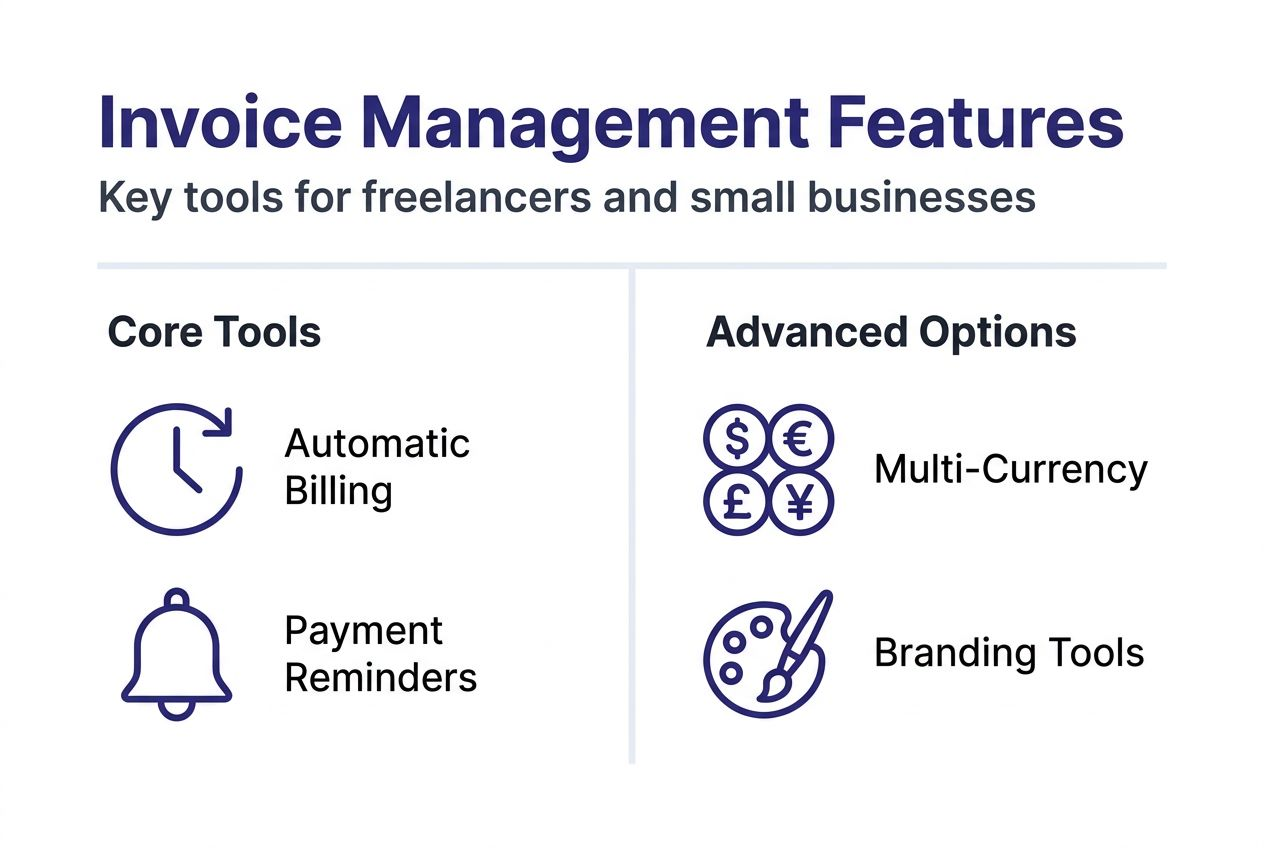
Recurring billing automates invoice generation for repeat clients on monthly, quarterly, or custom schedules. This feature captures subscription revenue reliably and eliminates the risk of forgetting to bill regular clients. For freelancers managing multiple retainer agreements, recurring billing ensures consistent cash flow without manual intervention.
Multi-currency support enables international client billing by handling currency conversion and displaying amounts in client-preferred currencies. Freelancers serving global markets need this capability to present professional invoices that respect client preferences and simplify their payment processes.
Automatic payment reminders send polite follow-ups at predetermined intervals after invoice due dates. This feature preserves client relationships by removing awkward reminder conversations while maintaining pressure for timely payment. Reminders typically reduce average collection time by 30 to 40 percent.
Cloud-based access allows invoice creation, tracking, and management from any device with internet connectivity. This mobility matters for freelancers working remotely or traveling while maintaining business operations. Cloud storage also provides automatic backup protection against data loss.
Branding features enable logo uploads, color customization, and template personalization that reinforce professional identity. Professional invoice branding correlates with perceived business credibility and helps justify premium rates. Clients associate polished invoices with reliable, established service providers.
Pro Tip: Combine your quote generator with invoice software to maintain consistent branding throughout the client journey from proposal to payment. This continuity builds trust and recognition across all financial documents.
These capabilities transform invoicing from a tedious chore into an automated system that runs in the background. Freelancers gain both time and peace of mind by leveraging business tools for invoicing and quotes that handle routine tasks reliably.
Impact of invoice management on payment speed and cash flow
Structured invoice management directly accelerates payment collection and stabilizes cash flow patterns. The data reveals significant timing differences between systematic and haphazard approaches.

More than 80% of small business clients pay freelancers late without systematic reminders and clear payment terms. This statistic highlights the default tendency toward delayed payment when freelancers fail to establish proactive collection processes. Late payments compound quickly, creating cash flow gaps that threaten business sustainability.
Compare average payment timelines:
| Approach | Average Payment Time | Follow-up Required | Cash Flow Impact |
|---|---|---|---|
| Manual invoicing without reminders | 45-60 days | Multiple manual contacts | Unpredictable, stressful |
| Automated invoicing with standard reminders | 25-35 days | Minimal, automated | Improved reliability |
| Professional invoicing with clear terms and automated follow-up | 15-25 days | Rare, system handles | Predictable, healthy |
The pattern proves consistent across industries and client types. Professional presentation combined with automated reminders creates psychological pressure for prompt payment without damaging relationships. Clients perceive organized freelancers as established businesses deserving priority payment.
Healthy cash flow enables strategic decisions about equipment purchases, marketing investments, and capacity expansion. Freelancers operating with predictable income can negotiate better terms with vendors, take advantage of early payment discounts, and weather seasonal fluctuations. The psychological benefit of financial stability reduces stress and improves overall work quality.
Pro Tip: Set payment terms at 15 days instead of the traditional 30 days for new clients. This shorter window establishes expectations for quick payment while still providing reasonable time for processing. Consistent enforcement through business tools for invoicing trains clients to prioritize your invoices.
Common invoicing errors and misconceptions
Frequent mistakes undermine invoice effectiveness and create unnecessary payment delays. Recognizing these pitfalls helps freelancers avoid costly errors.
Common mistakes include:
- Missing critical invoice fields like sequential numbers, clear descriptions, or payment terms that create confusion
- Sending invoices late after project completion, which signals disorganization and invites delayed payment
- Ignoring automated reminder capabilities and relying on memory for follow-up
- Using inconsistent formats or unprofessional presentation that diminishes perceived credibility
- Failing to specify late payment penalties or interest charges in clear terms
- Neglecting to maintain organized records for tax purposes and dispute resolution
A persistent misconception holds that manual invoice tracking suffices for small freelancing operations. This belief costs freelancers significant time and revenue. Even single-person operations benefit from systematic processes that capture all billable work and follow up consistently. The minimal time investment in setup pays dividends through reduced administrative burden and faster collections.
Another dangerous myth treats invoicing as an afterthought to be handled when convenient. This reactive approach creates payment delays, missed billing opportunities, and client perception of unprofessionalism. Successful freelancers prioritize invoicing as a core business function deserving systematic attention and reliable processes.
Legal compliance represents a third area where misconceptions create risk. Missing required invoice elements or poor record-keeping practices expose freelancers to audit complications and payment disputes. Invoices serve as legal documents that must meet regulatory standards. Templates from established platforms ensure compliance automatically.
Quick fixes freelancers can implement immediately:
- Adopt invoice templates that capture all legally required fields automatically
- Schedule invoice sending as the final project deliverable, not an afterthought
- Enable automated reminders in whatever system you currently use
- Review and document payment terms clearly in contracts and on every invoice
- Maintain digital backups of all invoices in organized folders by client and date
Explore the receipt creation guide and invoicing compliance guide for detailed requirements and best practices.
Overview of free vs paid invoice management solutions
Freelancers face choices between free tools and paid software platforms. Understanding the tradeoffs guides appropriate selection based on current needs and growth trajectory.
Free tools like InvoBillz offer no-cost, easy invoice creation with multi-currency support and instant PDF export. These platforms remove barriers to professional invoicing by eliminating subscription costs and complex setup processes. Freelancers generate invoices immediately without financial commitment or lengthy learning curves.
Paid software adds automation layers, accounting system integration, and advanced reporting that supports scaling businesses. These platforms connect invoice data with expense tracking, tax preparation, and client relationship management. The integration eliminates duplicate data entry and provides comprehensive financial visibility.
| Feature | Free Tools | Paid Software | Best For |
|---|---|---|---|
| Invoice creation | Professional templates, instant PDF | Advanced customization, automated sending | Free: Simple needs; Paid: Volume users |
| Payment tracking | Manual status updates | Automated tracking, integration with payment processors | Free: Few clients; Paid: Many concurrent projects |
| Reminders | Manual follow-up | Automated sequences, customizable timing | Free: Personal attention; Paid: Hands-off automation |
| Multi-currency | Supported | Supported with auto-conversion | Both handle international clients well |
| Integration | Standalone | Connects to accounting, CRM, payment systems | Free: Basic operations; Paid: Complex workflows |
| Cost | $0 | $10-50/month typically | Free: Starting out; Paid: Established revenue |
| Setup time | Minutes | Hours to days | Free: Immediate need; Paid: Strategic planning |
The earnings data supports graduated adoption. Freelancers using dedicated invoicing tools earn 65% more annually through improved efficiency and faster collections. This benefit applies to both free and paid solutions compared to manual methods. The specific choice between free and paid depends on business complexity rather than income potential.
Freelancers with straightforward billing, limited clients, and simple workflows find free tools sufficient for professional operations. Those managing numerous clients, complex project structures, or seeking deep financial insights benefit from paid platform capabilities. Many successful freelancers begin with free invoice generators and transition to paid solutions as client volume and business sophistication increase.
Start with accessible free business invoicing tools to establish systematic practices. Upgrade when current tools limit growth rather than adopting expensive software prematurely.
Implementation: streamlining invoice management in your freelance or small business
Adopting effective invoice management requires deliberate steps that build systematic practices. This implementation roadmap guides freelancers from current state to optimized operations.
-
Create professional, accurate invoices including all legally required fields like sequential numbers, dates, detailed descriptions, payment terms, and contact information. Templates ensure consistency and completeness automatically.
-
Customize invoices with your logo, brand colors, and professional layout that reinforces identity across client touchpoints. Visual consistency between proposals, invoices, and other documents builds recognition and trust.
-
Send invoices promptly upon project completion or according to milestone schedules outlined in contracts. Immediate invoicing signals professionalism and starts the payment clock without delay. Set up recurring billing for retainer clients to eliminate manual invoice generation.
-
Establish automated payment reminders at 3 days before due date, on due date, and at 7, 14, and 30 days overdue. Customize message tone to remain polite while creating urgency. Automation removes emotional resistance to follow-up.
-
Track paid, unpaid, and overdue invoices actively through dashboard views or reports. Review accounts receivable weekly to identify concerning patterns early. Follow up personally on significantly overdue accounts after automated reminders fail.
Pro Tip: Review invoicing performance metrics monthly to identify improvement opportunities. Track average days to payment, percentage of invoices paid on time, and total outstanding receivables. These numbers reveal whether your processes and client mix support healthy cash flow.
Best practices include customizing invoices with branding, automating reminders, and actively tracking payments to maintain stable cash flow. Implementation requires initial setup time but delivers ongoing benefits through reduced administrative burden and faster collections.
Leverage tools like the invoice and quote generator to maintain brand consistency from proposal through payment. Calculate potential revenue loss with a late payment calculator tool to motivate systematic follow-up practices.
Legal and tax compliance essentials in invoice management
Proper invoice documentation protects freelancers during audits, disputes, and tax preparation. Understanding legal requirements prevents costly mistakes and regulatory complications.
Required invoice elements include:
- Sequential invoice numbering that creates unique identifiers for every transaction and prevents duplicate or missing records
- Issue date and payment due date that establish clear timelines and support late payment enforcement
- Complete seller information including business name, address, and contact details for identification
- Buyer information with client name, address, and relevant tax identification numbers
- Detailed description of services or products provided with quantities, rates, and line item totals
- Payment terms specifying accepted methods, due date, late fees, and early payment discounts if applicable
- Total amount due with currency clearly indicated for international transactions
Invoices serve as legal and tax documents requiring accuracy and completeness. Tax authorities use invoice records to verify reported income during audits. Sequential invoice numbering is a legal requirement in many jurisdictions to prevent income concealment. Incomplete invoices create audit red flags and complicate dispute resolution when clients question charges.
Maintaining organized records protects freelancers in multiple scenarios. Digital backups prevent data loss from hardware failure or disasters. Chronological organization by client and date enables quick retrieval during tax preparation or when addressing client inquiries. Retention periods vary by jurisdiction but typically require seven years of accessible records.
Compliance tips freelancers should implement:
- Use professional software templates that include all required fields automatically and update when regulations change
- Store digital copies in cloud systems with redundant backup to local drives for security
- Review invoices carefully before sending to catch errors that undermine credibility or create legal exposure
- Document revisions and credits formally rather than informally adjusting future invoices
- Consult tax professionals about jurisdiction-specific requirements that affect invoice format or content
Country and state regulations impose specific invoicing requirements beyond universal best practices. Freelancers operating internationally or across state lines must research applicable rules. Ignoring these requirements creates legal vulnerability and potential penalties.
The receipt creation guide and invoicing compliance guide provide detailed breakdowns of requirements and practical templates that ensure compliance automatically.
Conclusion and next steps
Invoice management separates struggling freelancers from financially stable independent businesses. The systematic approach to creating, sending, tracking, and collecting payment transforms unpredictable cash flow into reliable income streams that support sustainable operations.
Automation and professional presentation deliver measurable benefits through faster payments, reduced errors, and enhanced client perception. These advantages compound over time as established processes become habits that run efficiently in the background. Freelancers reclaim hours previously lost to administrative tasks and redirect that capacity toward billable work and business development.
Start implementing these strategies today by exploring accessible free tools or evaluating paid solutions that match your current complexity and growth ambitions. The investment in proper invoice management pays immediate dividends through improved cash flow and reduced financial stress.
Explore invoicing tools to streamline your business
Ready to transform your invoicing workflow? InvoBillz offers comprehensive free business invoicing tools that implement the best practices covered in this guide without subscription costs or complex setup.

Create professional invoices instantly with multi-currency support for international clients. Generate receipts through the receipt generator to maintain complete transaction records. Calculate late payment penalties accurately with the late payment calculator to enforce payment terms professionally. All tools require no sign-up and enable immediate PDF export with custom branding.
These accessible solutions empower freelancers and small businesses to adopt systematic invoice management practices that improve cash flow, enhance professionalism, and reclaim valuable time. Start optimizing your billing processes today.
Frequently asked questions
What is invoice management and why does it matter?
Invoice management is the systematic process of creating, sending, tracking, and reconciling invoices throughout their lifecycle to ensure timely payment and accurate financial records. It matters because organized invoicing directly affects cash flow stability, reduces payment delays through professional presentation and automated reminders, and maintains the documentation necessary for tax compliance and dispute resolution. Effective invoice management separates financially stable freelancers from those struggling with unpredictable income despite steady client work.
How can automation improve invoice management?
Automation streamlines invoice creation through templates that capture all required fields, sends payment reminders on schedule without manual intervention, and manages recurring billing for subscription clients automatically. These capabilities reduce manual errors that undermine professionalism, accelerate payment cycles by maintaining consistent follow-up pressure, and save hours previously spent on administrative tasks. Automation allows freelancers to focus on revenue-generating client work rather than chasing payments.
What are common invoicing mistakes to avoid?
Missing critical invoice fields like sequential numbers, detailed descriptions, or clear payment terms creates confusion that delays payment and signals unprofessionalism. Sending invoices late after project completion or ignoring automated reminder capabilities allows clients to deprioritize payment without consequence. Viewing invoicing as an afterthought rather than a core business function leads to revenue leakage and financial strain that threatens business sustainability.
Should I use free or paid invoice management software?
Free tools suit freelancers with straightforward billing needs, limited concurrent clients, and simple workflows who want professional invoices without subscription costs. Paid software fits growing businesses needing advanced automation, integration with accounting and payment systems, comprehensive reporting, and support for complex project structures. Many successful freelancers start with free tools and upgrade when business complexity justifies the added capabilities and monthly costs.